
Transcribe, review, then translate
Audio Translator for Recorded Speech
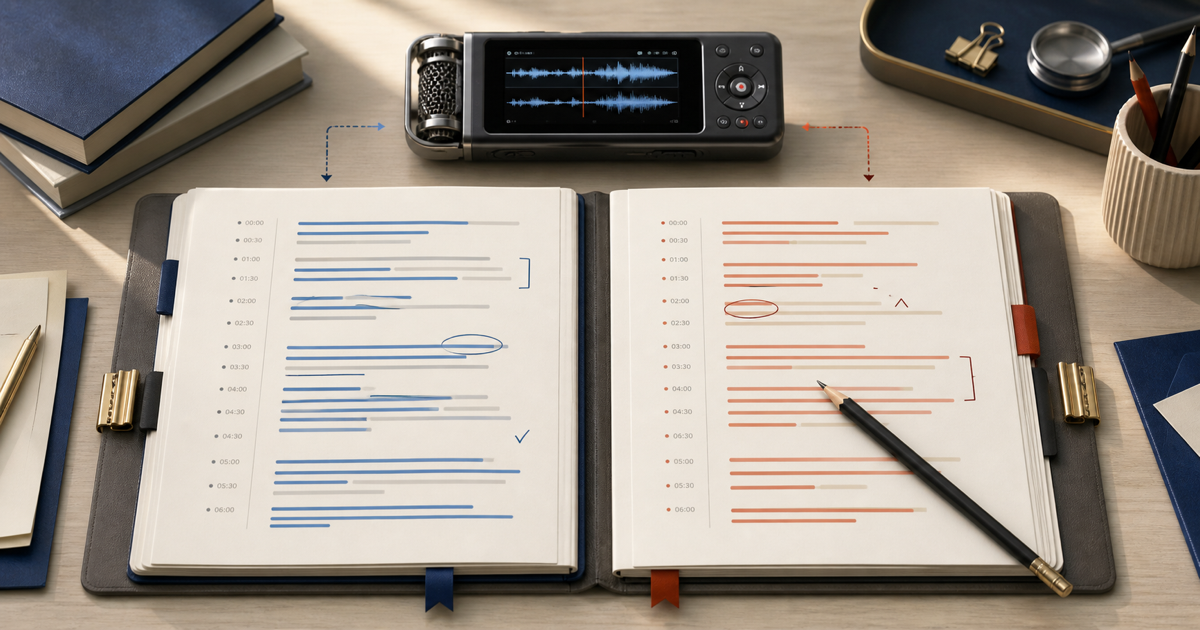
An audio translator first turns recorded speech into text and then translates that transcript into a target language. Audio Convert lets you choose both languages, review the source transcript, confirm the translation cost, and generate editable translated text. It does not create a dubbed voice or replace specialist review.
- Source and target language controls
- Source transcript remains reviewable
- Confirmation before translation charge
Live workflow
Prepare recorded speech
Transcription uses starter or paid minutes. Translation requires Pro or Max and is charged only after you confirm the server quote.
How it works
Three steps from source to result
- 01
Upload or record the source
Choose supported media with clear recorded speech and select the spoken language when known.
- 02
Review the source transcript
Correct names, figures, idioms, and speaker labels before they become translation input.
- 03
Confirm the target language
Open the translation confirmation, review the displayed minute cost, and generate editable target-language text.
01 · Decision guide
What does this audio translator produce?
This workflow produces translated written text from recorded speech. It preserves the source transcript as a separate review layer, which makes it possible to correct a recognition error before deciding whether the translated wording is suitable.
The output is not voice dubbing. Audio Convert does not synthesize a replacement speaker, preserve a voice identity, or mix a translated soundtrack back into a video.
02 · Decision guide
Why review before translating?
A translation can be fluent while inheriting a wrong name, date, or number from the transcript. Reviewing the source reduces the chance that a recognition mistake becomes a convincing translation mistake.
Context matters after transcription too. Idioms, legal terms, product names, and culturally specific wording may require a bilingual or domain-qualified reviewer.
- Verify names, figures, acronyms, and technical terms in the source.
- Check whether the target should be literal, conversational, or formal.
- Retain timestamps when the translated text will support captions.
Limits to check before you start
A useful tool explains the boundary of the result as clearly as the benefit.
- 01The result is translated text, not dubbed or synthesized speech.
- 02Translation is available after transcription and requires a paid plan with sufficient minutes.
- 03Source recognition errors can propagate into the translated output.
- 04Legal, medical, contractual, and publication-critical translations need qualified human review.
Practical fit
Workflows this page is designed for
International interviews
Review the original transcript and create target-language text for a bilingual editor or researcher.
Training recordings
Prepare translated written material while keeping the source transcript available for comparison.
Multilingual research
Make recorded responses searchable in a working language without discarding the source wording.
Commercial comparison
Audio Convert vs VEED vs Notta
Choose Audio Convert when you want a visible source-transcript checkpoint before creating translated text. VEED covers broader subtitle and dubbing workflows, while Notta connects translation to meeting and note-taking features.
Swipe to compare all 3 products →
| Decision | Audio Convert | VEED | Notta |
|---|---|---|---|
| Translation output | Editable translated transcript text | Translated subtitles, transcripts, and available dubbing workflows | Translated transcript text inside its workspace |
| Review path | Source transcript before confirmed translation | Subtitle and video editor workflow | Transcript and meeting-note workflow |
| Choose when | You want source review plus editable translated text | Subtitles, video editing, or dubbing are part of the task | Meeting capture and collaborative notes are central |
Comparison statements reflect the linked public product pages accessed during research. Plans and capabilities can change.
Common questions
Answers before you continue
Does the audio translator return translated speech?
No. Audio Convert returns translated written text. It does not generate a new voice, clone the speaker, or produce a dubbed audio track.
Can I edit the source before translation?
Yes. The source transcript remains in the workspace, so you can correct it before opening the translation action.
Why must source and target languages be different?
Choosing the same language would not perform a translation. The intake rejects that selection and asks for a distinct target.
Can translated text be used without review?
Use it as a working draft. A bilingual reviewer should check high-impact, specialized, public, legal, medical, or contractual material against the source.
Evidence
Sources
Research & verification · Last reviewed
The production intake was checked for separate source and target language controls, source-transcript review, and confirmation before translated text is generated.
- Google Cloud speech recognition practicesPrimary documentation supporting source-audio and language-selection guidance.
- VEED Audio TranslatorPublic workflow reference for translated subtitles, transcripts, and dubbing comparison.
- Notta Audio TranslatorPublic workflow reference for transcription-plus-translation comparison.
Ready when you are