
Public Reels, spoken layer only
Instagram Transcript Generator for Reel Speech
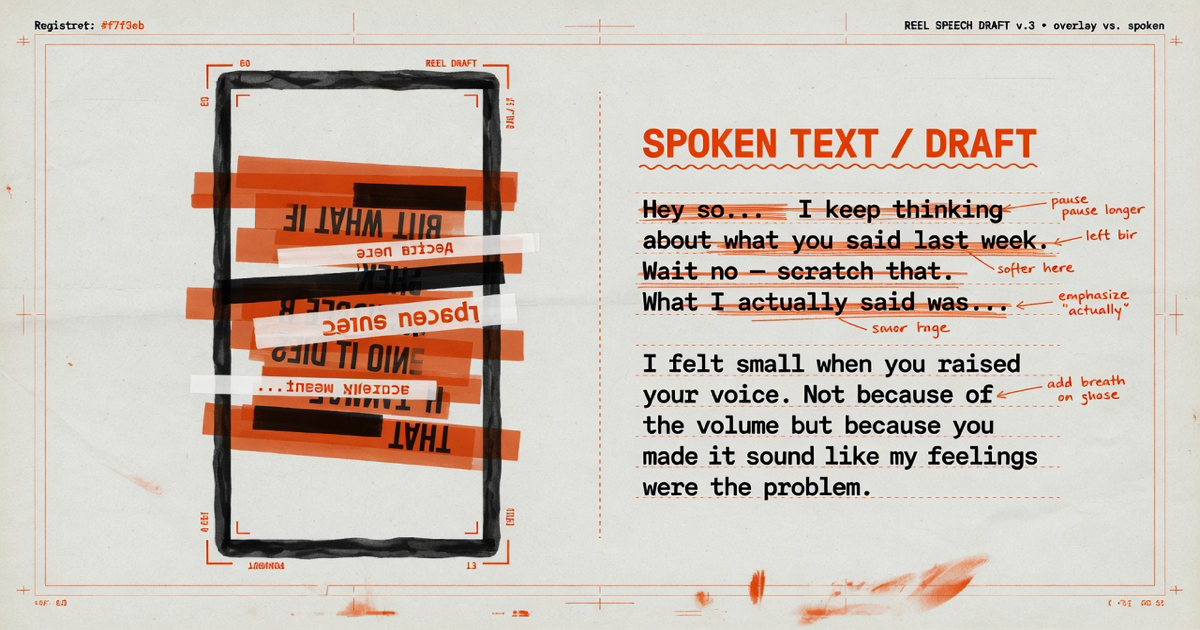
An Instagram transcript generator turns recognized speech from a public Reel or video post into timed text. Audio Convert does not copy every overlay caption, and it cannot open private profiles, Close Friends, or expired Stories. Compare the draft with what is printed on screen before you treat either as complete.
- Public Reel and video post URLs
- Speech draft separate from overlay captions
- Caption file export for media you control
Live workflow
Paste a public video link
Use a page that plays without a login. Private or restricted links should be downloaded and uploaded instead.
Starter minutes are granted after account verification. Public links do not open private, paid, or login-only videos.
How it works
Three steps from source to result
- 01
Paste a public Reel or video URL
Copy the share link from a post that plays without logging in.
- 02
Generate timed speech
Audio Convert resolves the accessible audio and returns searchable lines.
- 03
Compare overlays then export
Check on-screen captions and audio credits, then download the format you need.
01 · Decision guide
How an Instagram transcript generator differs from overlay captions
Overlay captions are visual. A speech draft is auditory. They can disagree: the overlay may summarize, skip off-camera talk, or display a correction. For accessibility or editorial work, read both layers and correct branded terms, fast narration, and words hidden by music.
02 · Decision guide
What stays out of reach from a pasted Instagram link
Private profiles, Close Friends, expired Stories, and login-only media. This workflow does not attach your Instagram session. Save authorized media through Instagram's own tools and upload the file on the video-to-text page.
03 · Decision guide
Crediting speech that uses a public audio track
Reels often lip-sync or narrate over a public sound. Inspect the audio attribution before naming a speaker or crediting a script. Keep the post URL with any quotation.
Limits to check before you start
A useful tool explains the boundary of the result as clearly as the benefit.
- 01Private accounts, Close Friends, and expired Stories cannot be resolved from a link.
- 02The generator does not perform a frame-by-frame reading of stickers or charts.
- 03Public availability does not grant a right to reuse the words.
- 04Starter minutes require a verified account.
Practical fit
Workflows this page is designed for
Reel caption drafts you own
Export SRT or VTT for a Reel you are authorized to edit, then fix reading speed.
Quote verification
Search a public Reel for a phrase and confirm it against both speech and overlays.
Multilingual review
Create a source-language draft first, then add a translated reading copy if needed.
Commercial comparison
Audio Convert vs TokScript vs GetTheScript
Choose Audio Convert when overlay captions and speech may disagree and you need a review workspace. Choose TokScript or GetTheScript for a faster public-link dump.
Swipe to compare all 3 products →
| Decision | Audio Convert | TokScript | GetTheScript |
|---|---|---|---|
| Instagram input | Public Reel and video post URLs, plus upload for saved files | Public Reel links aimed at short-form scripts | Public Instagram URL to downloadable text |
| Speech versus overlays | States that overlays are a separate visual layer | Focuses on getting the spoken script quickly | Focuses on getting the spoken script quickly |
| Choose when | You will compare speech with on-screen text and export captions | You want a short-form script dump | You want a lightweight Instagram URL extractor |
Comparison statements reflect the linked public product pages accessed during research. Plans and capabilities can change.
Common questions
Answers before you continue
Can I transcribe a private Instagram account?
No. Private or login-only media cannot be processed from a pasted link.
Do Instagram Stories work?
Only an accessible video URL that still exposes media. Expired or restricted Stories fail.
Will it copy stickers and on-screen text?
No. The draft comes from speech, not a complete visual reading of every frame.
Can I translate the finished transcript?
Yes. After the source draft exists, the translator workflow can create another-language reading copy.
Evidence
Sources
Research & verification · Last reviewed
Public Reel and post URL patterns, speech-versus-overlay distinction, and refusal of private or expired Stories were checked against the production platform validator on 2026-08-17.
Ready when you are