
Subtitle format converter
VTT to SRT
VTT to SRT converts existing WebVTT captions into numbered SubRip cues in your browser. Paste or choose a file, review changes, edit the preview, and download.
- Paste or select an existing .vtt file
- See information lost in conversion
- Edit and download numbered SRT
Paste WebVTT or choose a .vtt file. Up to 2 MiB each for input and SRT, 4 MiB combined working text, and 5,000 cues.
Real input and output
A WebVTT caption, before and after
This original sample includes a cue ID, a note, a style block, a region, two text lines, and Unicode. The generated SRT keeps the words and timing while numbering the cues.
WEBVTT
NOTE Prepared for an audio edit handoff
STYLE
::cue { color: coral; }
REGION
id:lower
intro-cue
00:00:01.200 --> 00:00:03.450 line:90%
<v Narrator><b>Bonjour, 世界</b></v>
Second line & a smile 🙂
00:00:04.000 --> 00:00:05.250
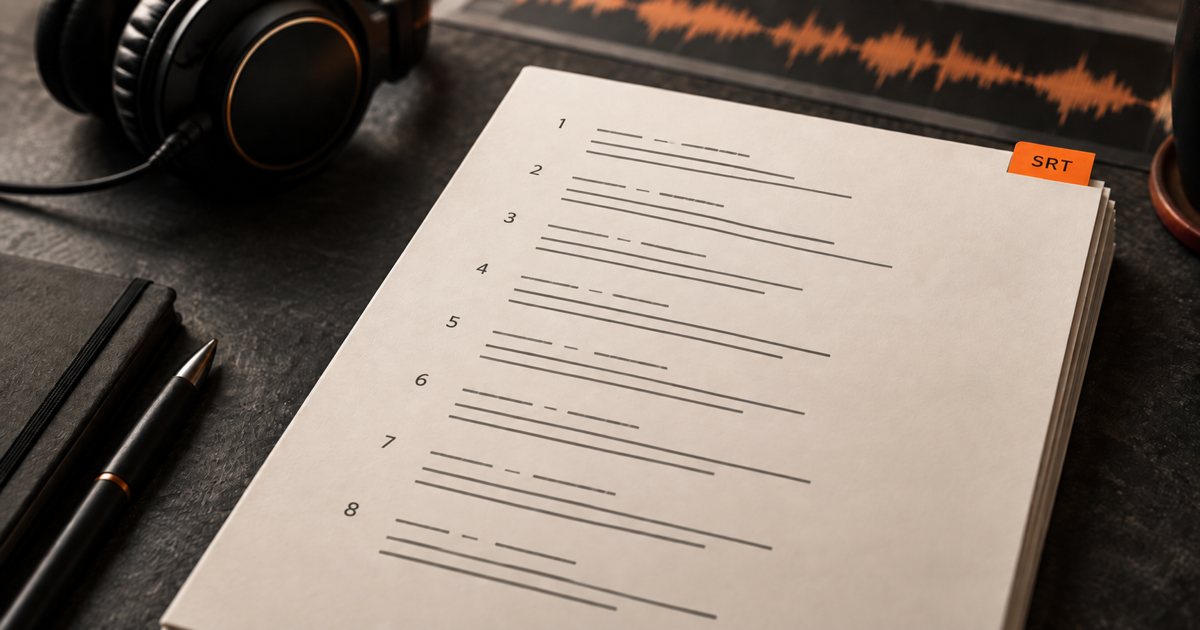
We can begin.1 00:00:01,200 --> 00:00:03,450 Bonjour, 世界 Second line & a smile 🙂 2 00:00:04,000 --> 00:00:05,250 We can begin.
Original English sample; spoken words are preserved.
How it works
Three steps from source to result
- 01
Add WebVTT
Paste the contents of a WebVTT file or select a local .vtt file up to 2 MiB.
- 02
Convert and inspect
Read the SRT preview and warnings for cue IDs, notes, style blocks, inline tags, and positioning.
- 03
Revise and download
Make any needed text or timing edits in the numbered SRT preview, then save the .srt file.
01 · Decision guide
VTT to SRT conversion
WebVTT and SRT both contain timed subtitle cues. This converter reads the WebVTT structure, keeps valid start and end times plus readable cue text, and writes consecutive SRT numbers with comma-based millisecond timestamps.
Use it when you already have a caption file and the next editor or archive asks for SRT. This page does not create captions from audio; the speech-to-text workspace handles that separate task.
02 · Decision guide
What happens to WebVTT styling
SRT cannot carry WebVTT STYLE and REGION blocks, cue positioning, or voice-span labels in the same way. The converter omits those instructions and flattens inline markup while keeping the spoken words and line breaks for review.
If color, placement, or speaker styling matters in the destination, keep the original .vtt alongside your .srt and check the result in the receiving editor.
03 · Decision guide
Review warnings before download
Warnings identify changes that could affect presentation. A malformed timestamp or unrecognized cue is an error instead of a silently missing subtitle, so correct the source and retry.
After conversion, the SRT preview is editable. Download becomes unavailable if your edits break its numbering or timecodes, and changing the input immediately clears the previous result.
Limits to check before you start
A useful tool explains the boundary of the result as clearly as the benefit.
- 01Input and revised SRT are each limited to 2 MiB, with a 4 MiB combined working-text budget and 5,000 cue limit.
- 02The tool accepts existing WebVTT text or a local .vtt file, not audio or a website URL.
- 03Conversion is free in the browser and uses no transcription minutes; this session has no saved history, so reselect your file after a refresh.
- 04WebVTT layout, CSS, notes, regions, and voice labels are not preserved in SRT.
Practical fit
Workflows this page is designed for
Podcast caption handoff
Prepare an existing WebVTT transcript for an editor that requests numbered SRT cues.
Audio archive export
Keep timing and Unicode dialogue when filing a plain SRT copy beside the original captions.
Bilingual review
Inspect line breaks and characters before sending a caption file to a language reviewer.
Commercial comparison
Audio Convert vs manual editing vs a desktop subtitle editor
Choose Audio Convert for a fast, inspectable browser handoff. Edit manually when every character needs a custom mapping, or use a desktop subtitle editor when detailed timing and layout review is part of the job.
Swipe to compare all 3 products →
| Decision | Audio Convert | Manual editing | Desktop subtitle editor |
|---|---|---|---|
| Best fit | A quick local conversion of an existing WebVTT file | A very short file or an unusual rule you need to control by hand | Repeated caption work and detailed visual timing review |
| Work involved | Paste or select, review warnings, then download | Renumber cues and rewrite timestamps yourself | Install an editor, import the file, inspect, and export |
| WebVTT-only data | Losses are listed before you save | You decide how to document every unsupported item | Handling depends on the editor and export settings |
Common questions
Answers before you continue
Will cue identifiers appear in SRT?
No. SRT uses consecutive cue numbers here. The converter flags each WebVTT identifier it replaces.
What happens to NOTE, STYLE, and REGION blocks?
They are not caption text, so they are omitted from SRT. The warning list names each omitted block.
Can I fix a broken timestamp in the preview?
A broken WebVTT timestamp stops conversion so a cue is not silently lost. Correct it in the input and convert again. You can also revise valid SRT timing after conversion.
Does converting upload my caption file or use transcription minutes?
No. This format conversion runs in the current browser session without a cloud transcription request or minute charge. Refreshing clears the input and result.
Evidence
Sources
Research & verification · Last reviewed
WebVTT syntax was cross-checked with MDN and SRT structure with the Library of Congress. Local parsing, warning, preview, and download behavior are covered by this page's regression checks.
Ready when you are